

Cart is empty

Curabitur placerat magna sollicitudin
How to use SuperPro Software
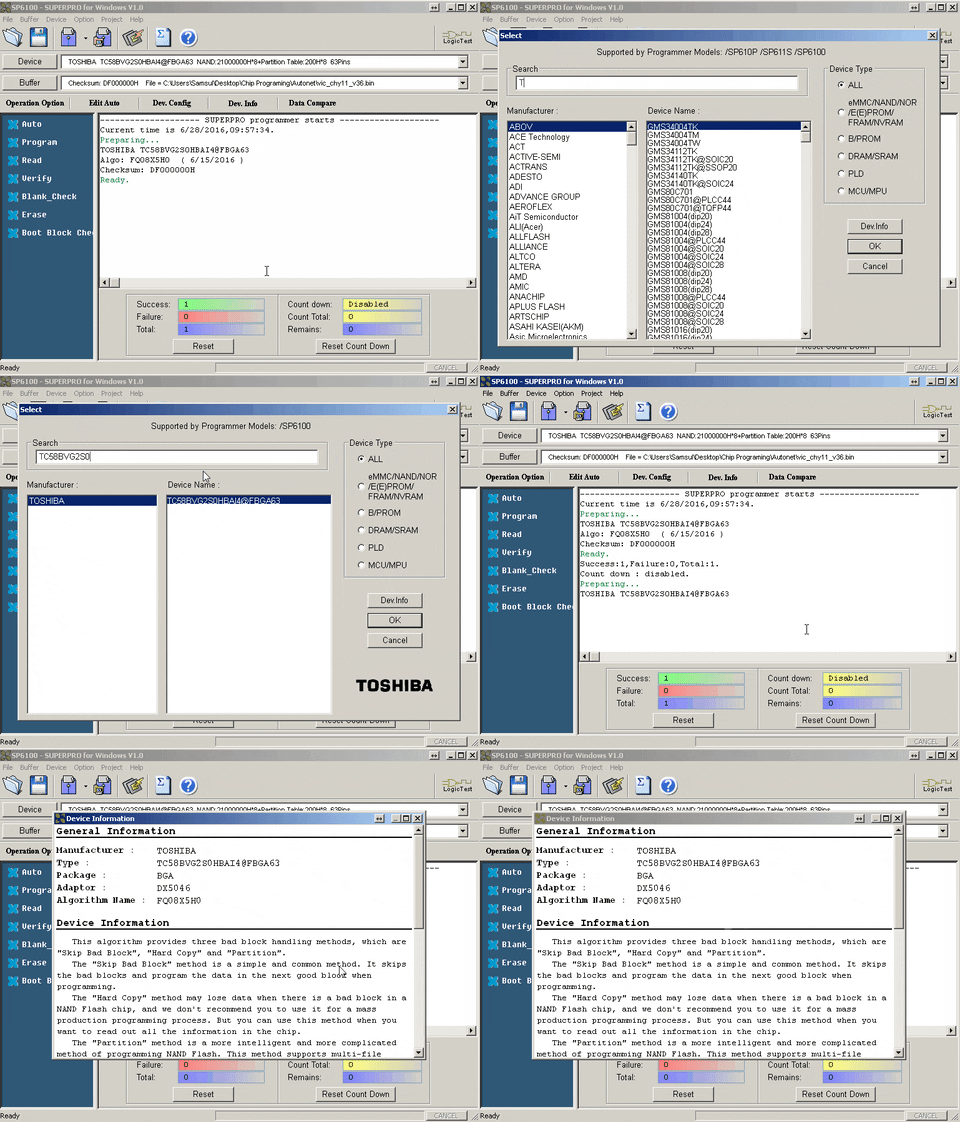
Step 1: Search for the Device
Search and select the correct device in the SuperPro software.
Please make sure you are using the correct socket adapter. If the wrong socket adapter is selected or installed, you may receive an
Unmatched Adapter error.
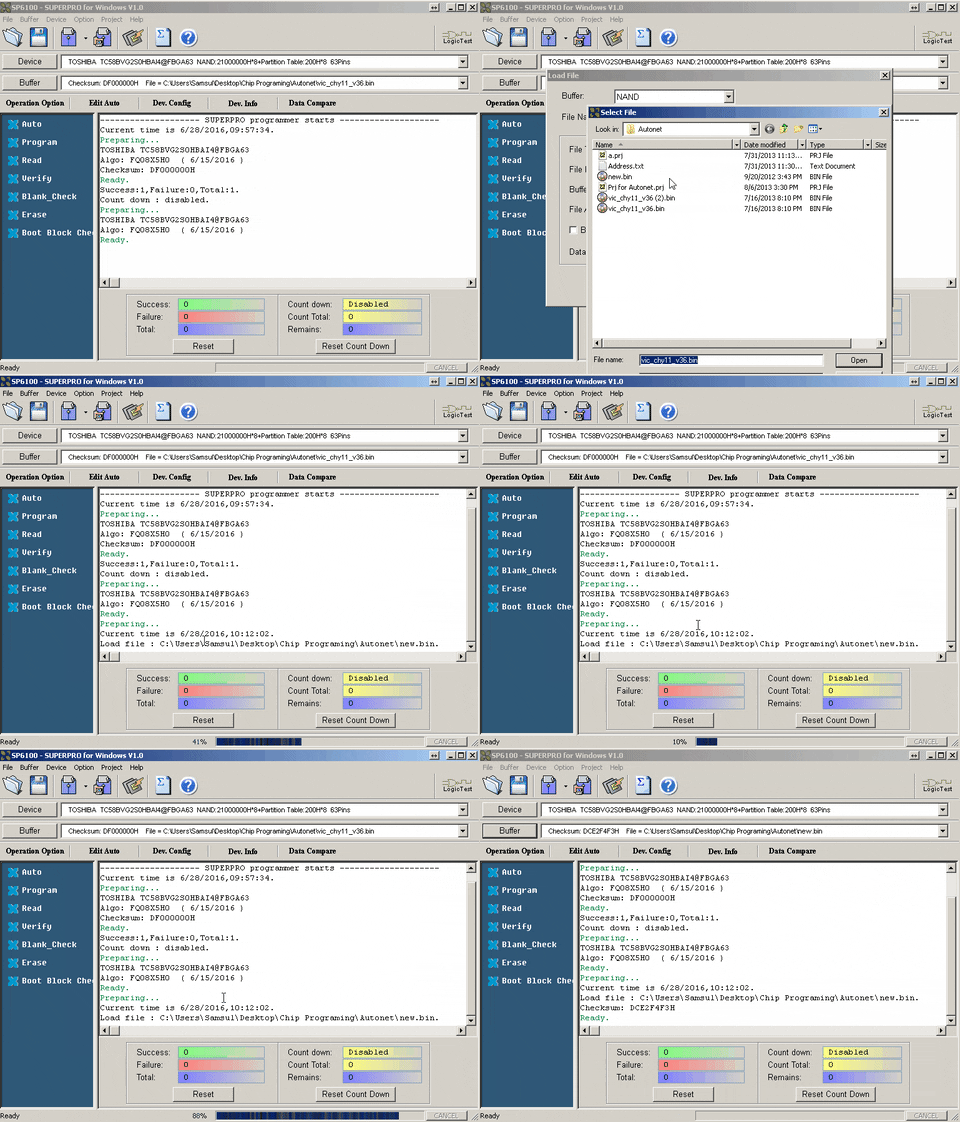
Step 2: Load Data into the Buffer
Select “Buffer clear on data load with FF” to erase the buffer before loading new data.
To learn how to load multiple data files, please visit the following link: Click Here
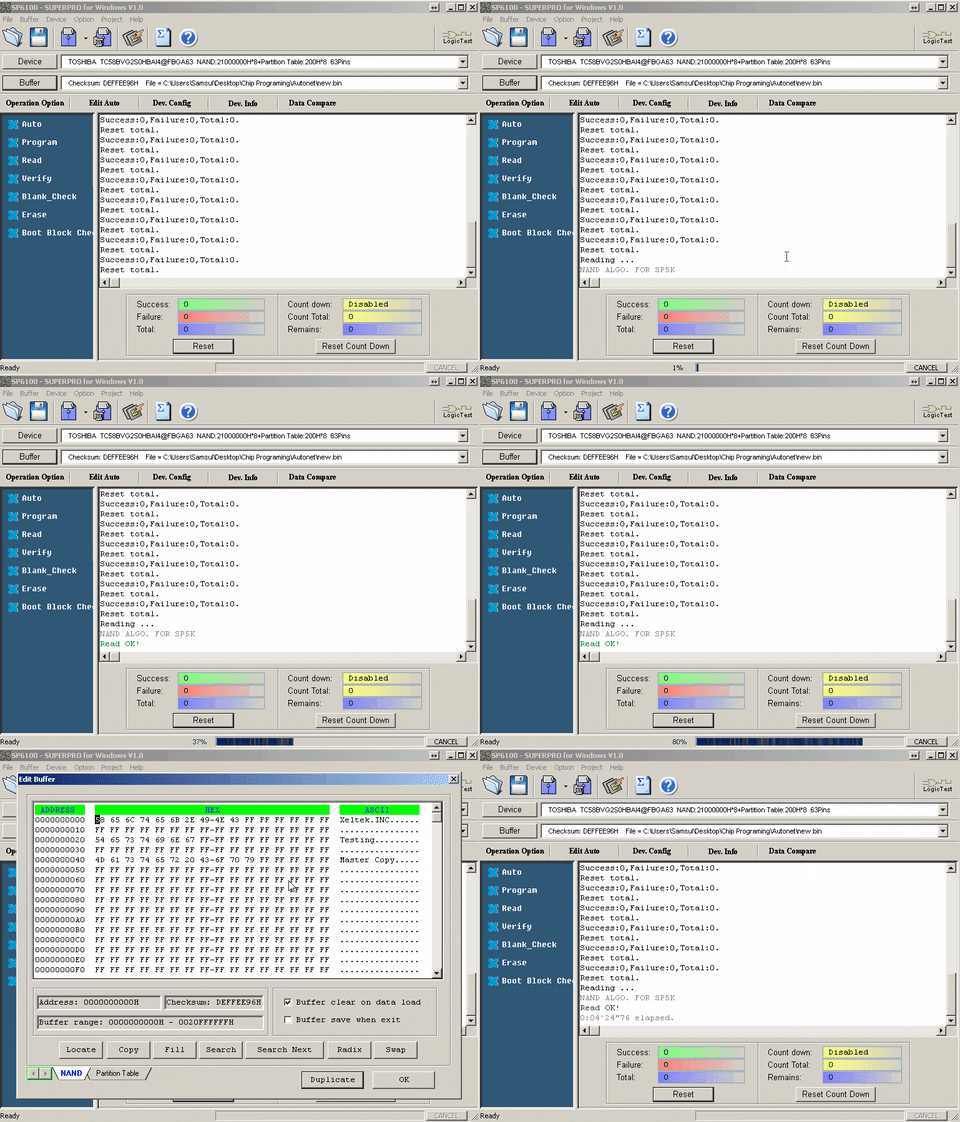
Step 2.1: Load Data from a Master Chip
Insert the master device into the socket adapter. Once the device is inserted, select Read. After reading the device, check the buffer table to confirm the data was loaded successfully.
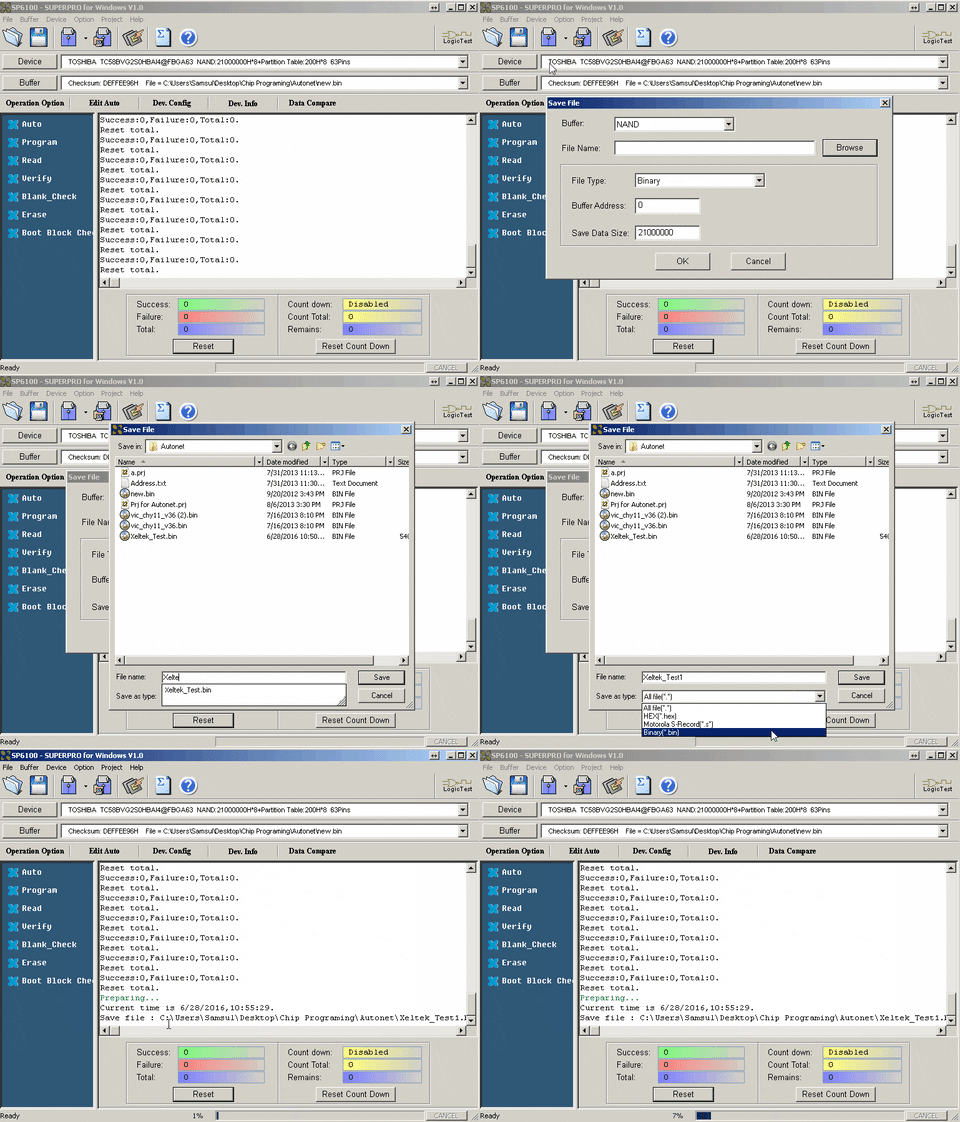
Step 2.2: Save Data Read from the Master Device
After reading data from the master device, you can save the file for later use. The data can be saved in common formats such as Binary, Intel HEX, Motorola, and other supported file types.
Step 3: Program Manually or Use Auto Operation
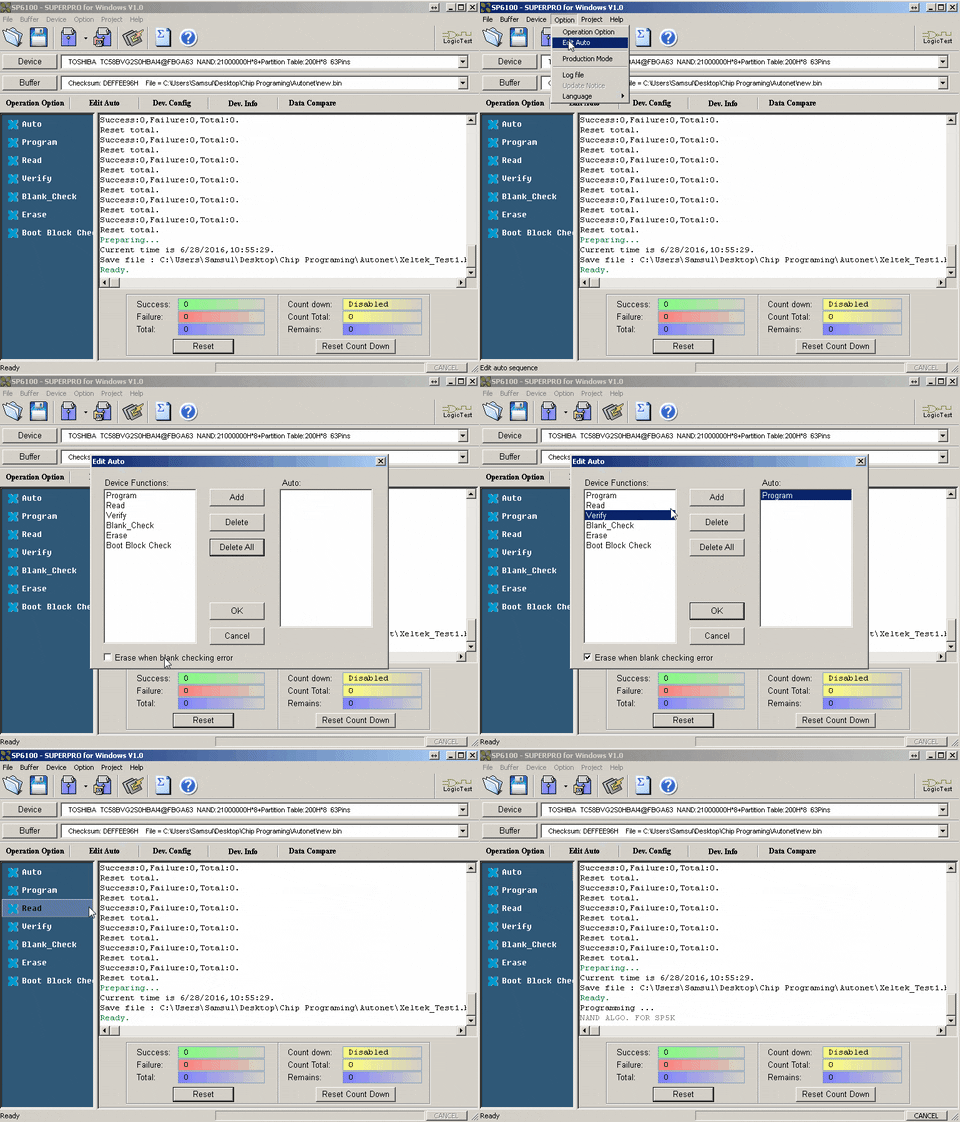
To program manually, select each operation from the operation list located on the left side of the software.
For automatic programming, select Edit Auto and configure the Auto operation list. Once the configuration is completed, the Auto operation is ready to use.
If you are trying to duplicate NAND chips, please visit the following link:
Click Here
Do you have any questions?
Ask Us Now


