

Cart is empty

Curabitur placerat magna sollicitudin
How to Load Multiple Data Files to the Buffer on SuperPro Programmers
SuperPro programmer software provides powerful data loading and buffer editing functions for all types of devices. These functions help load files into chip memory and program the device correctly.
1. Load Multiple Files to the Device Memory
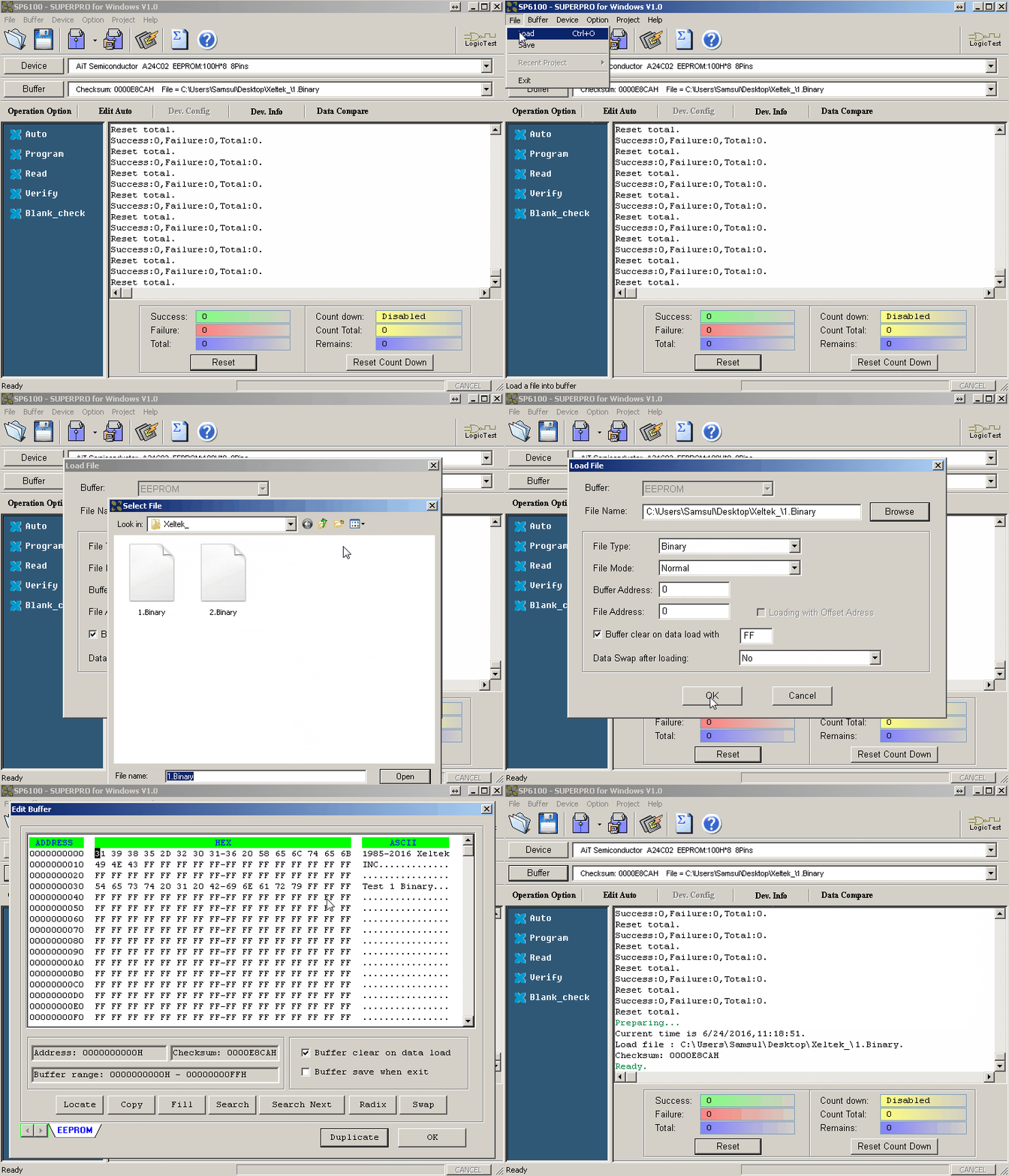
Select Load from the File menu to open the Load File dialog box. Then select the correct file type from the Files of type drop-down list.
To ensure the buffer is clear before loading data, select
“Buffer Clear on data load with FF.”
2. Load the Second Data File onto the Buffer
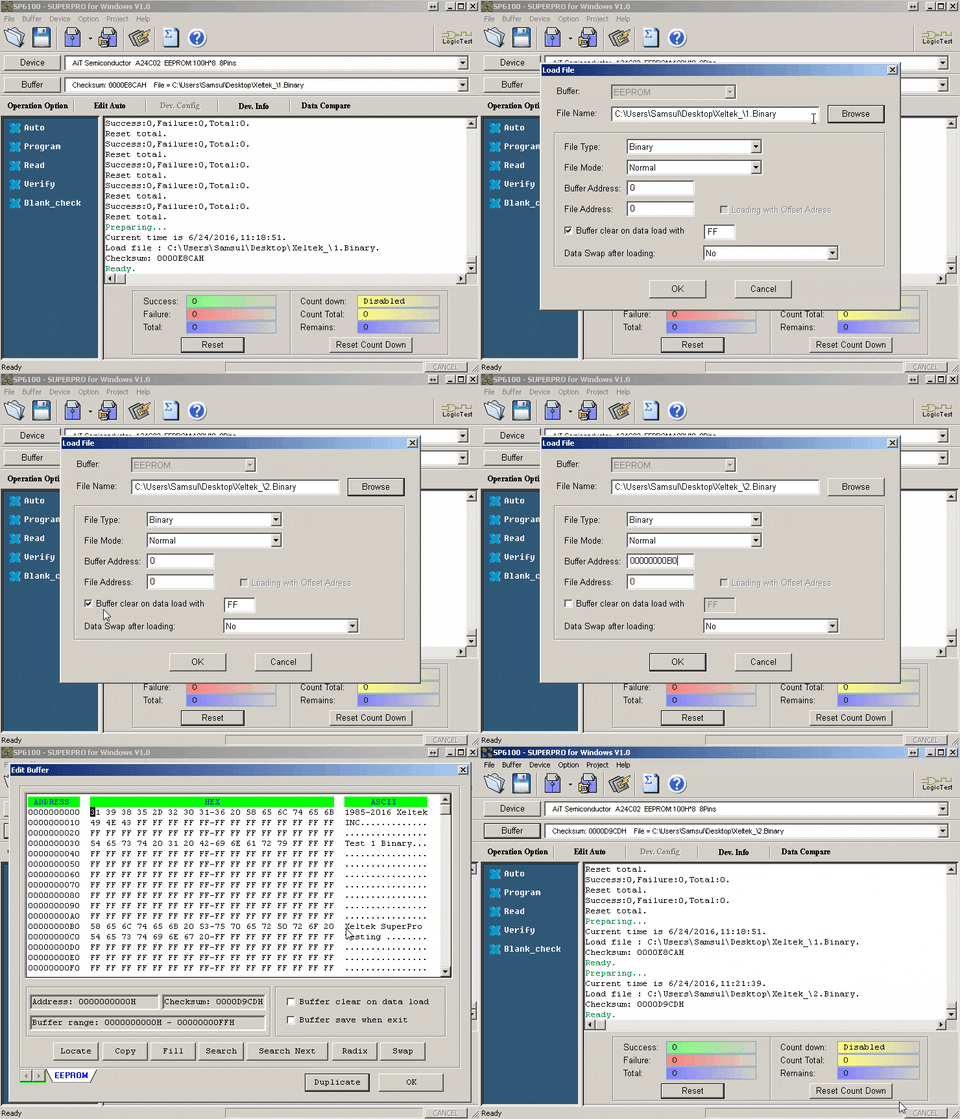
Select Load from the File menu again. Make sure to disable “Buffer Clear on data load with FF”, or the previous data will be erased.
After selecting the second file, enter a Buffer Address. If no buffer address is entered, the new file may overwrite the previous data.
The user can define both the Buffer Address and File Address. In this example, the second data file is loaded at address 00000000B0. After loading the file, the content will appear at address 00000000B0.
Do you have any questions?
Ask Us Now


