

Cart is empty

Curabitur placerat magna sollicitudin
Serial Number Auto Increment
Some applications require different content, such as a product sequence number or MAC address, to be written into a specific memory area for each chip. This content is commonly referred to as a serial number.
SuperPro Software Serial Number Solutions
SuperPro software provides two solutions for generating serial numbers:
The first solution is to use the auto-increment method. The software generates the serial number by adding the step value entered by the user to the previous serial number. This format is fixed and meets most general application requirements.
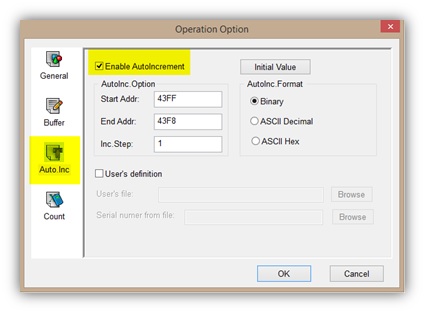
Auto Increment Example
Example: Programming PIC16F877 chips with serial numbers in 8-byte locations starting from 1 and incrementing in steps of 1.
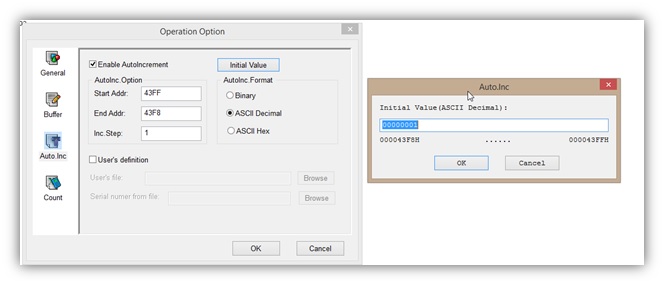
Set the Automatic Start Address. In this example, the buffer address 43FF is the last address of the buffer.
- Set the Automatic End Address to the eighth-last address in the buffer.
- Set the increment value as a number less than 10. In this example, the increment value is 1.
- Set the initial value as decimal 1.
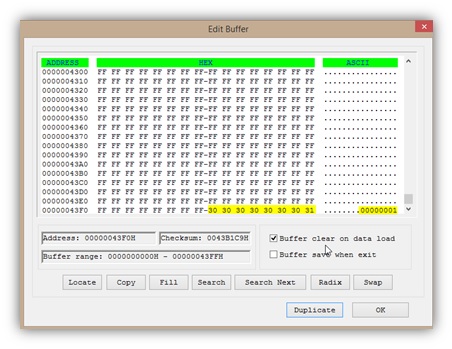
The buffer will appear as shown below:
Programming with Auto Increment
Insert a new chip, then click Auto to begin programming.
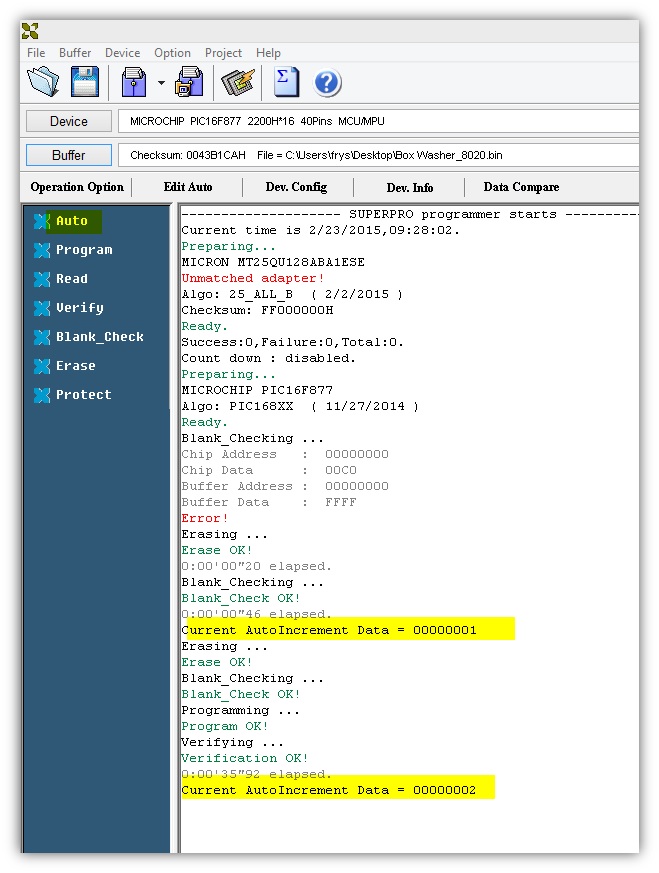
Buffer data will change and increment by 1 after programming each chip. Because of this, the serialization feature is also known as the dynamic buffer.
Customized Serial Number Solution
The second solution is to use customized software to generate the device serial number for greater flexibility.
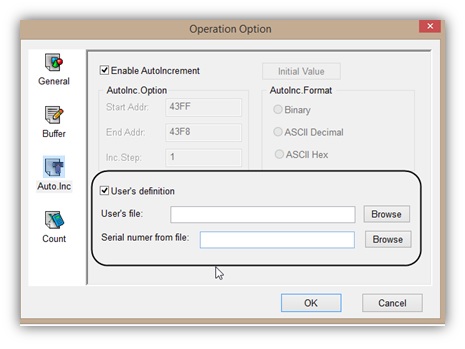
The user should provide the programming requirements to Xeltek so a custom DLL can be developed. The DLL allows operation settings for the DLL path and serial number file.
The auto serial number function can also be used in standalone mode for the SuperPro IS01 programmer.
Do you have any questions?
Ask Us Now


